
Download Christmas Dock Icons – festive macOS Dock customization tool
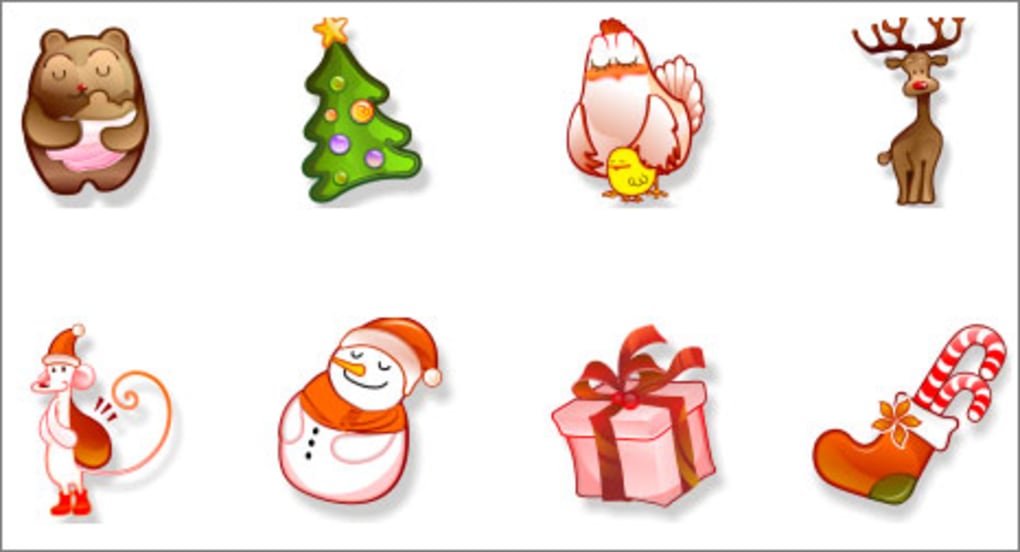
La saison des fêtes est le moment idéal pour ajouter une touche de joie à chaque recoin de votre bureau, et votre Dock macOS n’échappe pas à la règle. Christmas Dock Icons est un pack soigneusement sélectionné d’icônes PNG haute résolution 612 × 994 qui transforment le Dock ordinaire en un pays des merveilles hivernales. Que vous souhaitiez un cadeau rouge classique, un sapin de Noël scintillant, un bonhomme de neige jovial ou un renne espiègle, cette collection propose une variété de designs qui s’intègrent parfaitement à l’esthétique épurée de macOS tout en apportant une touche festive indéniable.
Chaque icône est méticuleusement conçue pour conserver sa netteté sur les écrans Retina, garantissant que les détails—comme les ornements étincelants ou les fenêtres givrés—restent nets que le Dock soit réglé à la plus petite taille ou agrandi pour une visibilité maximale. Les icônes sont fournies au format PNG prêt à l’emploi, rendant le processus de remplacement simple même pour les utilisateurs qui ne sont pas à l’aise avec les outils graphiques avancés. Parce que le paquet est entièrement gratuit, vous pouvez expérimenter avec plusieurs icônes sans aucun engagement financier, les échangeant à votre guise tout au long de la période des fêtes.
En plus du gain visuel évident, les icônes servent de rappel subtil de l’esprit de la saison, transformant des tâches quotidiennes comme le lancement de Safari ou l’ouverture de Mail en un moment de joie saisonnière. Que vous soyez un utilisateur Mac chevronné qui aime personnaliser chaque facette du système ou un amateur de fêtes à la recherche d’une solution rapide et gratuite pour répandre la bonne humeur, Christmas Dock Icons offre une solution sécurisée, facile à installer, qui fonctionne sur tout Mac exécutant macOS 10.10 (Yosemite) ou version ultérieure.
Key Features of Christmas Dock Icons
- Seasonal Variety: Includes 12 distinct Christmas‑themed icons such as a wrapped present, a classic fir tree, a smiling snowman, a reindeer with a red nose, a holiday stocking, a candy cane, a gingerbread house, a festive bell, a sparkling star, a cozy fireplace, a Santa hat, and a decorative wreath.
- High‑Resolution PNG: Each graphic is created at 612 × 994 pixels, guaranteeing crystal‑clear display on Retina and non‑Retina screens alike.
- Easy Replacement Process: Icons can be swapped using the native macOS “Get Info” dialog—copy the PNG, select the application in Finder, open its Info window, and paste the new image directly onto the existing icon.
- Compatibility with Third‑Party Managers: Works seamlessly with popular icon management tools like CandyBar, LiteIcon, and Image2Icon for batch processing.
- Free & Secure Download: Distributed as a zip file from a trusted source, with no hidden fees, spyware, or adware.
- No System Modifications Required: The process does not involve editing system files or using Terminal commands, keeping your macOS integrity intact.
- Portable Design: Since the icons are simple PNG files, you can copy them to any Mac, external drive, or cloud storage for future holiday updates.
- Lightweight Package: The entire collection weighs under 5 MB, ensuring quick download and minimal storage impact.
- Community Support: An active user forum provides tips, custom icon variations, and troubleshooting assistance.
- Regular Updates: The developer releases seasonal updates that add new designs and improve compatibility with the latest macOS releases.
Installation, Usage, Compatibility, and Pros & Cons
Step‑by‑Step Installation Guide
Installing Christmas Dock Icons is intentionally simple, allowing even novice Mac users to add a festive touch without diving into complex utilities. Follow these steps:
- Download the Pack: Click the “Download” button on the product page to retrieve a zip file named
ChristmasDockIcons.zip. The file is hosted on a secure HTTPS server. - Extract the Files: Double‑click the zip file to expand it. You’ll see a folder containing individual PNG icons, each named after the element it represents (e.g.,
ChristmasTree.png). - Copy an Icon: Open the desired PNG in Preview, select ⌘ A to highlight the image, then ⌘ C to copy it to the clipboard.
- Locate the Target App: In Finder, navigate to the Applications folder and locate the app whose Dock icon you wish to replace (for example, Calendar).
- Open the Info Window: Right‑click the app and choose “Get Info” (or press ⌘ I).
- Paste the New Icon: Click the small icon at the top‑left of the Info window to highlight it, then press ⌘ V. The new Christmas‑themed image replaces the default.
- Refresh the Dock: If the Dock does not update automatically, you can force a refresh by running
killall Dockin Terminal, or simply log out and back in. - Optional Batch Replacement: For users who prefer a faster approach, third‑party utilities like CandyBar allow you to drag and drop the PNG files onto a visual interface that updates multiple icons in one session.
Once installed, the icons behave exactly like any native macOS Dock icon—clicking them launches the associated application, and they respect macOS’s dark mode and accessibility settings.
Operating System Compatibility
Christmas Dock Icons is designed for macOS 10.10 (Yosemite) and newer, including the latest macOS Ventura and macOS Sonoma releases. Because the icons are standard PNG files, they are not tied to a specific system framework, meaning they continue to function even after major OS upgrades. Users on older Mac hardware running Snow Leopard or earlier will not be able to install the pack, as those versions lack the necessary Retina‑friendly icon handling and the “Get Info” drag‑and‑drop workflow. For best results, ensure that your Mac is running a 64‑bit version of macOS, which has been standard since macOS 10.7.
Pros
- Free and completely safe to download.
- High‑resolution PNGs look sharp on all Retina displays.
- Simple manual installation; no terminal commands required.
- Works with popular icon managers for bulk changes.
- Lightweight package (under 5 MB) and easy to store.
- Compatible with macOS 10.10+ and future updates.
- Provides a cohesive holiday theme across multiple apps.
- Community‑driven support and regular seasonal updates.
Cons
- Only compatible with macOS; no Windows or Linux version.
- Requires manual replacement for each app unless using a third‑party manager.
- Some icons (e.g., gingerbread house) may be less instantly recognizable compared to classic symbols.
- Does not include animated or dynamic icons, which some users might prefer for extra flair.
- Changes are not persisted automatically after a macOS update; re‑application may be needed.
Frequently Asked Questions
Do I need any special software to install Christmas Dock Icons?
No. The icons are standard PNG files, and macOS’s built‑in “Get Info” window is all you need. If you prefer batch changes, third‑party tools like CandyBar can speed up the process, but they are optional.
Are the icons compatible with macOS dark mode?
Yes. Because the icons are PNG images with transparent backgrounds, they automatically adapt to dark mode, preserving contrast and visual appeal.
Can I use these icons on Windows or Linux machines?
The pack is specifically created for macOS Dock customization. While the PNG files could theoretically be used as icons on other platforms, the installation method described works only on macOS. No Windows or Linux version is provided.
Will the icons survive a macOS system update?
In most cases, custom Dock icons remain after a standard macOS update because they are stored in the application bundle’s resources. However, major upgrades (e.g., from macOS Ventura to Sonoma) may reset system icons, so you might need to re‑apply the Christmas icons after a major update.
Is it safe to download Christmas Dock Icons from the official site?
Absolutely. The download is hosted on a secure HTTPS server, and the package is scanned for malware before distribution. No adware, trackers, or hidden fees are included.
Conclusion – Bring Holiday Joy to Your Dock Today
If you’re looking for a quick, free, and secure way to spread Christmas spirit across your Mac, Christmas Dock Icons delivers exactly that. With high‑resolution PNGs, a straightforward installation process, and full compatibility with macOS 10.10 and newer, the pack lets you turn a plain Dock into a festive showcase in minutes. Whether you choose to replace a single favorite app’s icon or overhaul the entire Dock for a coordinated holiday theme, the visual impact is immediate and delightful. Don’t let your desktop stay sober this season—download the pack, follow the simple steps, and enjoy a Dock that sings “Jingle Bells” every time you launch an app. Happy holidays, and may your Mac be as merry as your spirit!







